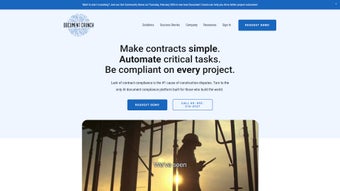

Download Document Crunch – AI‑Powered Contract Management for Construction Teams
Overview
Document Crunch is a cloud‑based contract‑management solution that was built from the ground up for the construction sector. By combining natural‑language processing, machine‑learning classification, and a clean, web‑first UI, the platform turns dense legal documents into readable, actionable data in a matter of minutes. The core workflow begins when a user uploads a contract in PDF, Word, or image format; the AI engine parses the file, extracts key clauses, and automatically generates a “Project Playbook” that highlights obligations, milestones, payment terms, and risk triggers.
Users can then interact with the document through a chat‑style interface—simply type a question such as “When is the liquidated damages clause triggered?” and receive an instant, context‑aware answer drawn directly from the contract text. Integration is a cornerstone of Document Crunch. Native connectors push risk alerts, change‑order flags, and compliance checkpoints into popular construction platforms like Procore, Autodesk Build, and Buildertrend, ensuring that project managers and legal teams stay aligned without duplicate data entry.
Security is handled at the enterprise level: all files are encrypted at rest with AES‑256, transit is protected by TLS 1.3, and role‑based access controls let administrators enforce the principle of least privilege. Versioning records every revision with a timestamp, enabling a complete audit trail for regulatory compliance. For small firms, the free tier offers unlimited contract uploads, basic risk detection, and access to the Playbook generator.
Larger enterprises can upgrade to plans that include advanced analytics, single sign‑on (SSO) integration, and priority support. In practice, organizations report a reduction of manual review time from several hours to under 15 minutes per contract, fewer change‑order disputes, and higher confidence during negotiations. Document Crunch thus delivers a measurable ROI while simplifying the otherwise complex world of construction contract administration.
Key Features & Capabilities
- AI‑Driven Risk Identification: The engine flags high‑risk clauses, missing insurance certificates, and non‑compliant language before a contract is signed.
- Project Playbook Generator: Converts legal jargon into plain‑English summaries, checklist items, and milestone timelines that are easy for field staff to follow.
- Chat‑Based Query Interface: Users ask natural‑language questions and receive precise answers extracted from the original contract.
- Standardized Review Workflow: Enforces a consistent evaluation process across all projects, improving auditability and governance.
- Procore & Autodesk Build Integration: Real‑time sync of risk alerts, change orders, and compliance data into existing project management tools.
- Secure Cloud Storage & Version Control: Every upload is stored securely with automatic versioning and role‑based permissions.
- Cross‑Platform Access: Desktop client for Windows 10/11 and macOS 11+, plus native mobile apps for Android 8.0+ and iOS 13+.
- Customizable Alerts & Notifications: Set up email, SMS, or in‑app alerts for upcoming deadlines, insurance expirations, and regulatory updates.
- Export & Reporting Suite: Generate PDF summaries, CSV risk logs, and visual dashboards for stakeholders at any level.
- Scalable Pricing Model: Free tier for small teams, Professional plan with advanced analytics, and Enterprise plan with SSO, API access, and dedicated support.
Installation, Setup & Compatibility
Step‑by‑Step Installation Guide
- Navigate to the official Document Crunch download page and select the installer matching your operating system (Windows, macOS, Android, or iOS).
- Run the installer (EXE for Windows, DMG for macOS). Mobile users simply tap “Install” from the Google Play Store or Apple App Store.
- Launch the application and register using a corporate email address. A verification link is sent to confirm identity.
- Complete the onboarding wizard: choose your construction segment (residential, commercial, infrastructure), connect to Procore or another PM tool if desired, and configure role‑based access controls.
- Import your first contract by dragging a PDF, Word document, or scanned image onto the dashboard. The AI begins parsing within seconds.
- Review the auto‑generated Project Playbook, customize checklist items to match internal procedures, then click “Approve” to lock the review and trigger any configured alerts.
System Requirements & Operating System Support
Document Crunch is compatible with modern desktop and mobile environments: Windows 10/11, macOS 11 (Big Sur) or later, Android 8.0+, and iOS 13+. Minimum hardware specifications include a 2 GHz dual‑core CPU, 4 GB RAM, and 500 MB of free storage for the desktop client. Because the heavy‑lifting AI processes run on secure cloud servers, even modest laptops can handle large contracts without performance degradation.
Best Practices for Ongoing Use
To maintain optimal risk detection, enable automatic sync with your PM system and schedule nightly backups of the contract repository. Use the “Custom Alerts” panel to align notifications with internal compliance calendars, and periodically review the “Analytics” tab to identify recurring clause deviations that may indicate broader policy gaps. Enterprises should integrate Single Sign‑On (SAML, Azure AD, or Okta) to streamline user provisioning and reinforce security standards. For developers, RESTful JSON API endpoints allow you to push contract metadata into ERP, document‑management, or business‑intelligence platforms, extending the value of Document Crunch across the organization.
Pros, Cons & Frequently Asked Questions
Pros
- Reduces contract review time from hours to minutes, delivering immediate productivity gains.
- AI‑driven risk detection surfaces hidden liabilities before signing, lowering dispute risk.
- Plain‑language Playbook makes complex legal terms understandable for non‑lawyers.
- Deep integration with Procore, Autodesk Build, and Buildertrend streamlines collaboration.
- Cross‑platform availability ensures field crews can access contracts on any device.
- Free tier provides essential functionality for small firms; scalable plans grow with the business.
Cons
- Initial AI model tuning may require uploading a few representative contracts to improve accuracy.
- Heavily annotated legacy documents sometimes need manual cleanup before parsing.
- Advanced analytics, API access, and enterprise SSO are limited to paid tiers.
- Full AI processing depends on an internet connection; offline mode is limited to viewing cached files.
Frequently Asked Questions
Is Document Crunch suitable for subcontractor agreements?
Yes. The AI model has been trained on a wide range of construction contracts, including subcontractor, joint‑venture, and design‑build agreements. It highlights indemnity clauses, payment milestones, and insurance requirements that are critical in subcontractor relationships.
Can Document Crunch integrate with tools other than Procore?
Absolutely. In addition to native Procore integration, Document Crunch offers RESTful APIs that can be connected to Autodesk Build, Buildertrend, or any custom ERP system. Detailed documentation and sample code are available in the developer portal.
How does Document Crunch protect my data?
All contracts are encrypted at rest using AES‑256 and in transit with TLS 1.3. Role‑based access controls, two‑factor authentication, and regular third‑party security audits ensure compliance with ISO 27001, SOC 2, and GDPR standards.
What happens if I need to work offline?
The desktop client caches the most recent contracts locally, allowing you to view and annotate documents without an internet connection. However, AI‑driven analysis, cloud syncing, and collaborative features require an online connection.
Is there a trial period for the paid plans?
Yes. New users can activate a 14‑day free trial of the Professional tier, which includes advanced analytics, SSO, and priority support. No credit card is required to start the trial.
Conclusion & Call to Action
Document Crunch delivers a powerful combination of AI‑driven risk assessment, plain‑language contract summarization, and seamless integration with the construction‑management ecosystem. Whether you are a small contractor looking to cut manual review time or an enterprise seeking to enforce consistent compliance across hundreds of projects, the platform scales to meet those needs. The free tier provides immediate value, while paid plans unlock deeper analytics, single sign‑on, and API connectivity for organizations ready to embed contract intelligence into their broader digital workflow.
By automating the most tedious aspects of contract management, Document Crunch frees your team to focus on building—both physically and strategically. Ready to experience faster, safer, and smarter contract handling? Download Document Crunch today and start your risk‑free trial.
Document Crunch excels at turning dense legal documents into actionable project data. The AI is remarkably accurate, and the Procore sync eliminates double‑entry. While the learning curve for custom clause libraries exists, the overall ROI is evident within the first few weeks of use.



.png)



